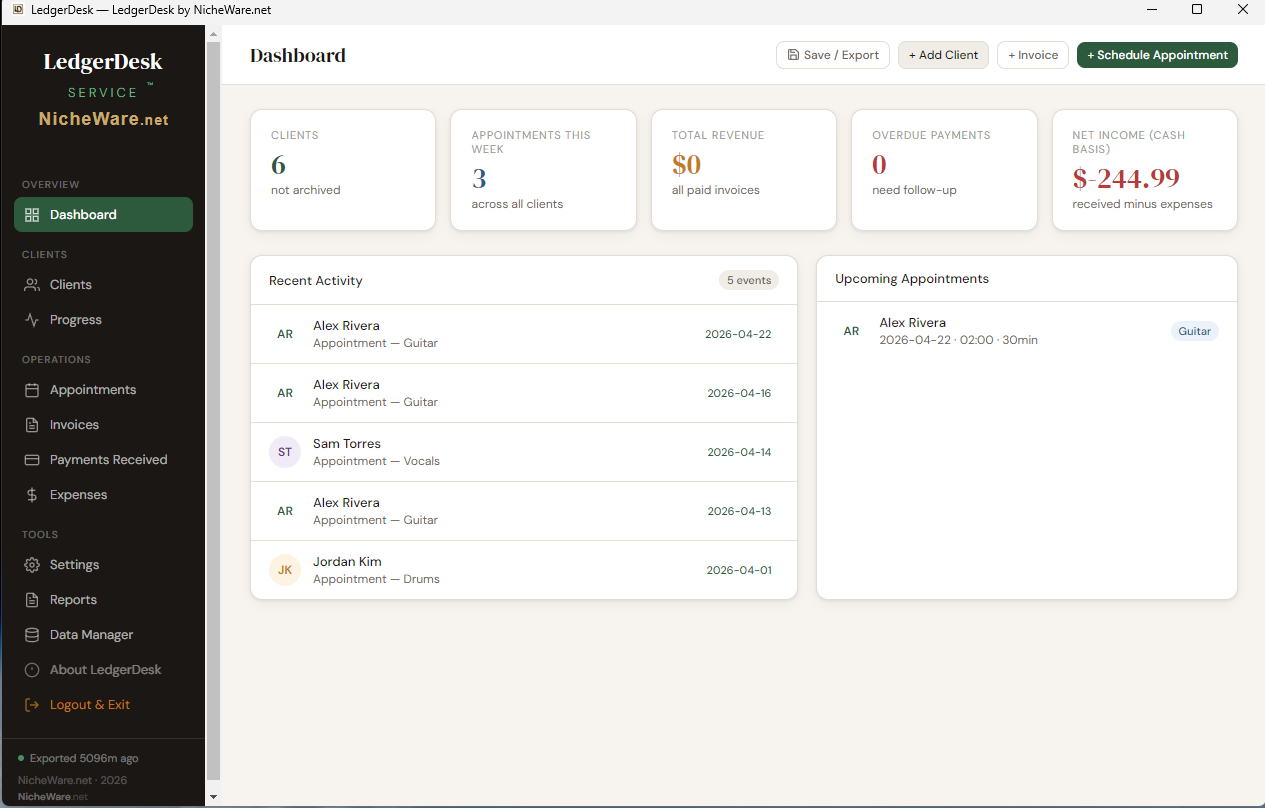
The Dashboard — your business at a glance
Open LedgerDesk and the first thing you see is everything that matters: revenue collected, upcoming appointments, overdue payments, and net income — no digging required.
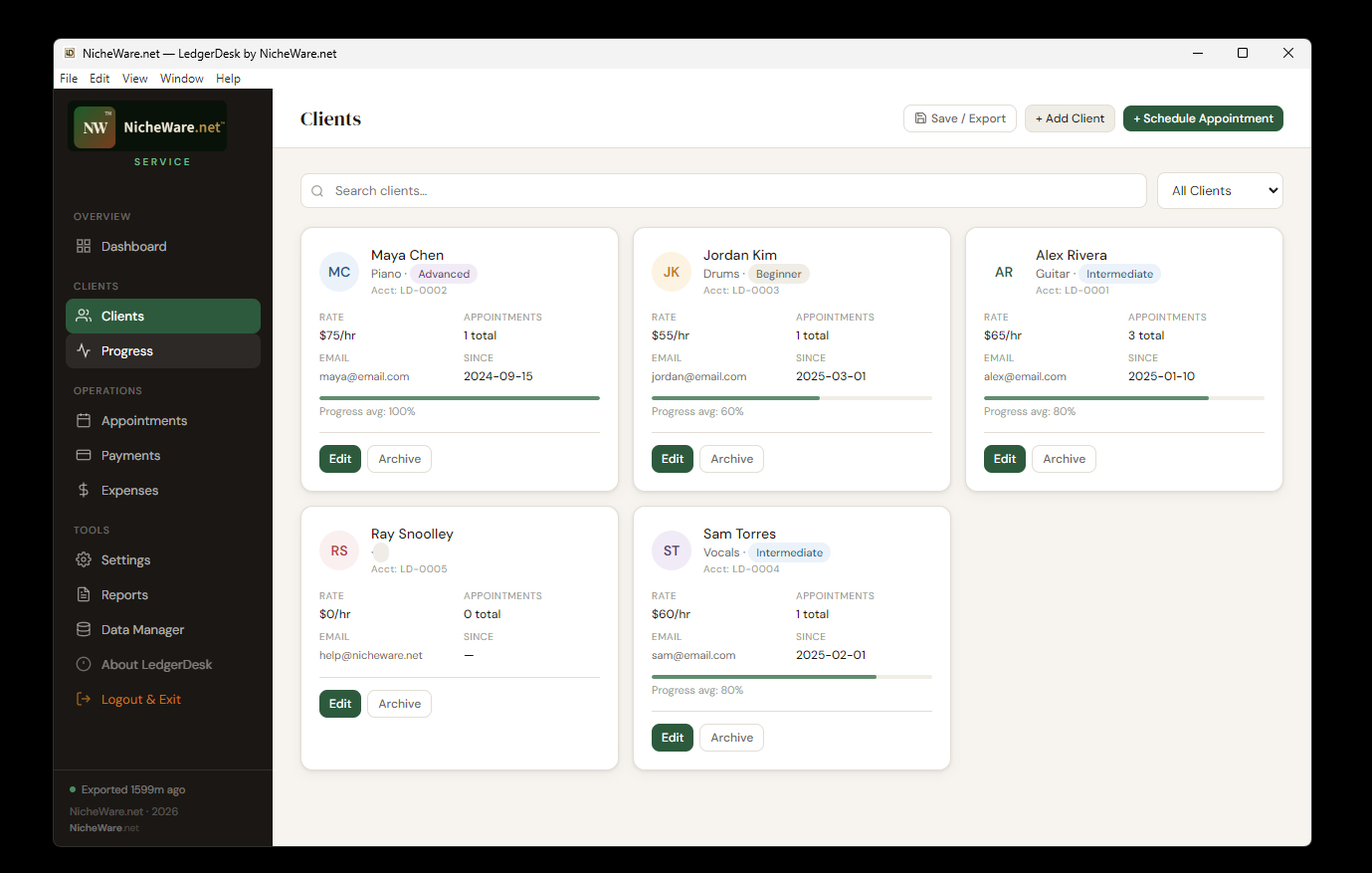
Client roster — know everyone, miss no one
Every client gets their own card: contact info, hourly rate, appointment count, skill level badge, and an auto-calculated progress average. Color-coded initials make the roster scannable in seconds.
Search by name or filter active vs. archived clients from the dropdown. Adding a new client takes under a minute — fill in a name and you're running.
Each card links directly to that client's appointment and payment history, so context is always one click away.
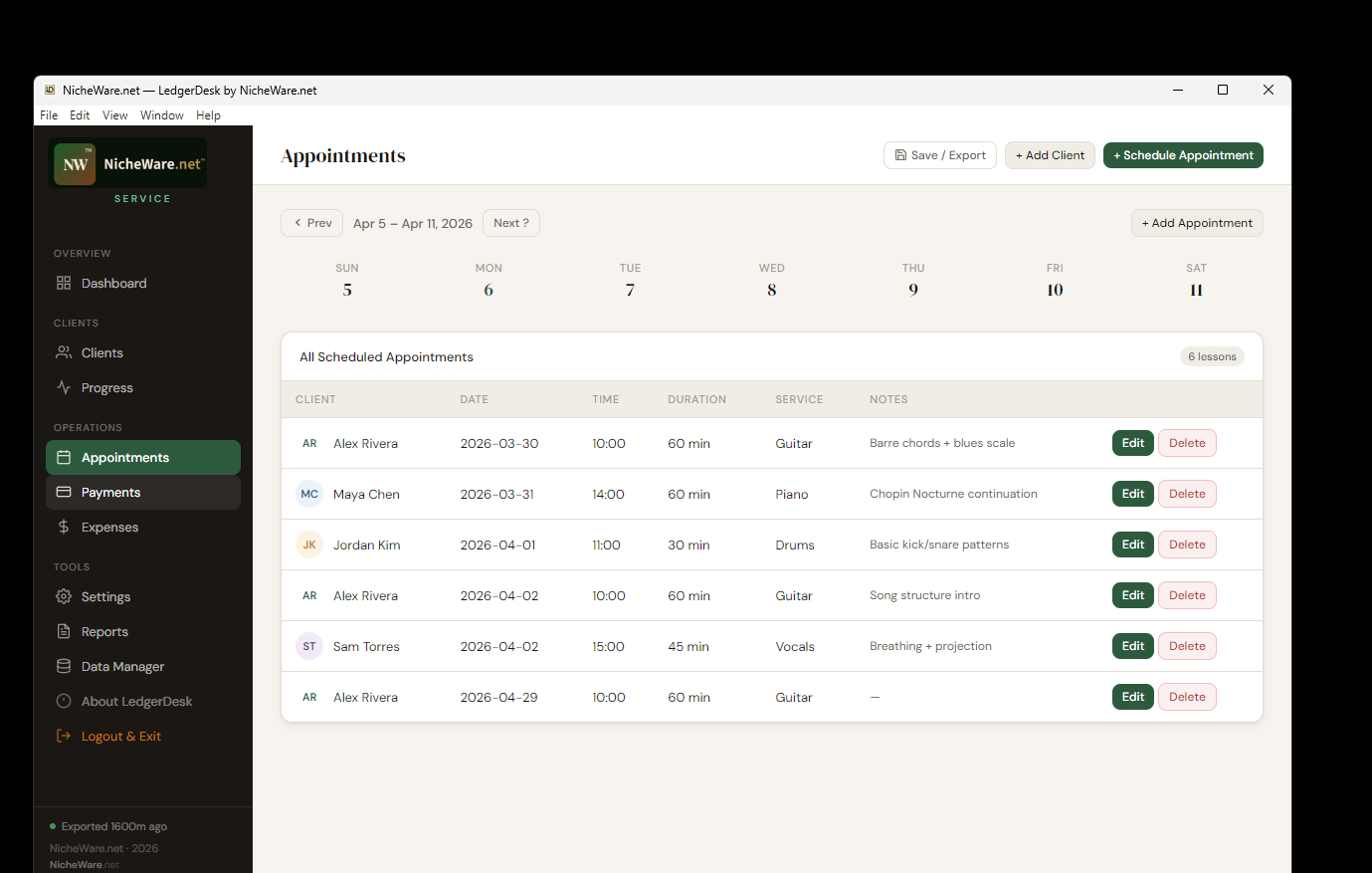
Appointments — your schedule, simplified
Schedule sessions, track service type and duration, attach notes, and browse your calendar week by week. Every appointment you've ever booked lives in a clean, scrollable list — nothing gets lost.
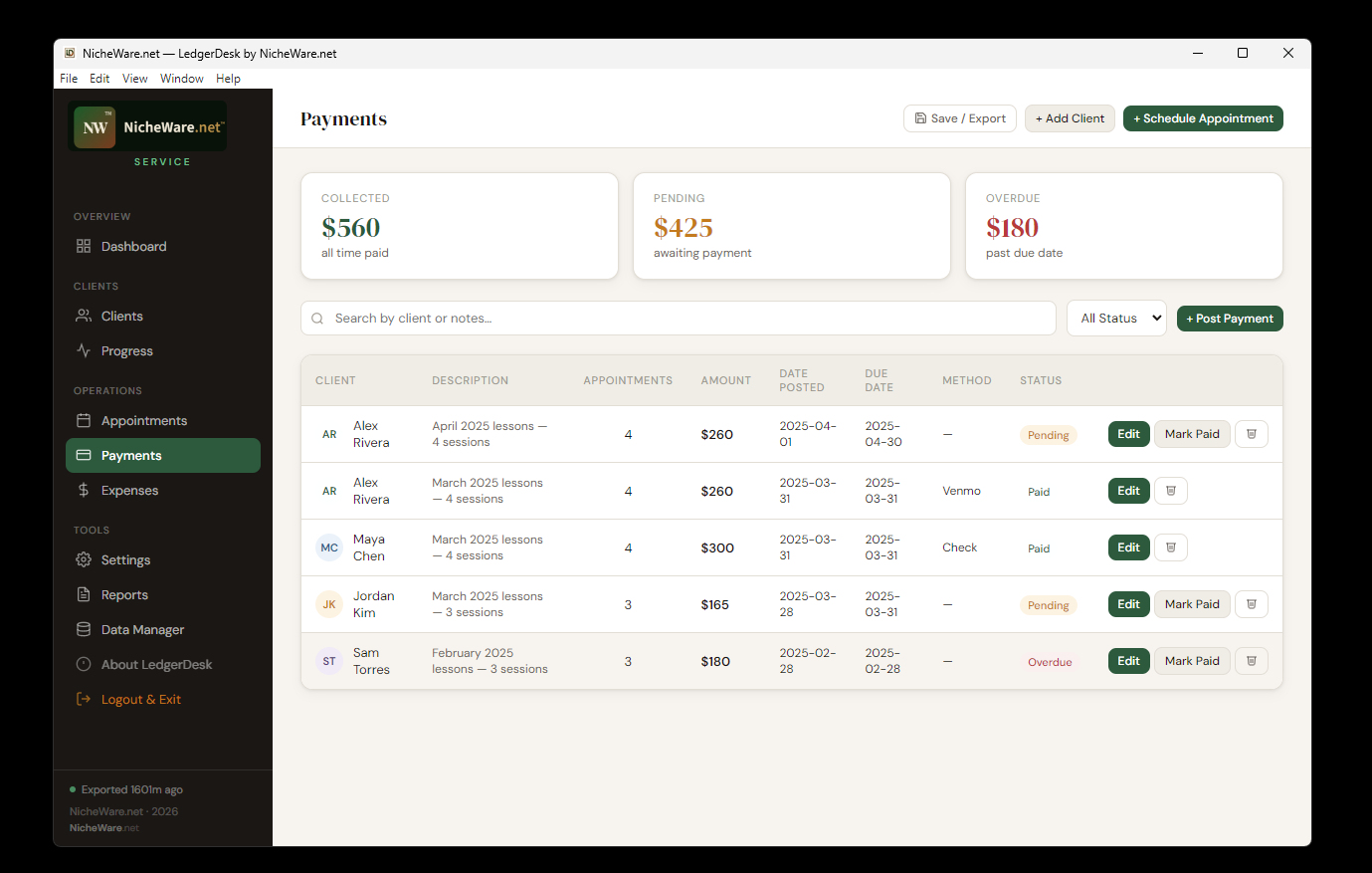
Payments — collected, pending, and overdue in one view
Post invoices, link them to sessions, and track status across every client. Color-coded badges make it immediately obvious who's current and who needs a follow-up.
Mark invoices as Paid with one click. Record the payment method — Venmo, check, cash, card — and LedgerDesk keeps the running totals: collected all-time, pending this cycle, and anything past due.
No subscription, no online portal, no middleman taking a cut. You post, you track, you get paid.
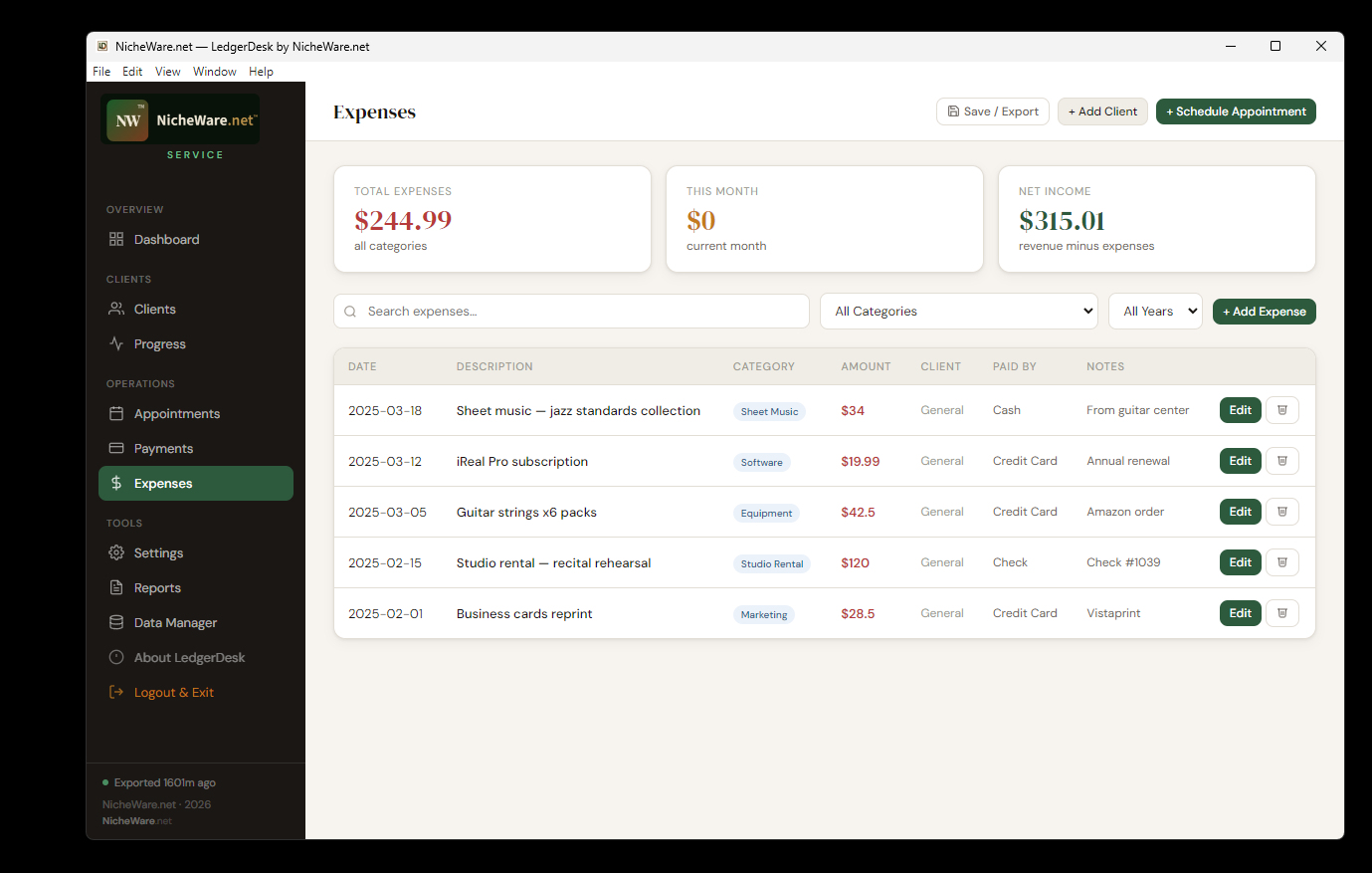
Expenses — every cost tracked, net income always current
Log business expenses by category — equipment, software, marketing, studio rental, and more. LedgerDesk subtracts them automatically so your net income on the Dashboard is always accurate without any extra steps.
Data Manager — your data stays yours, always
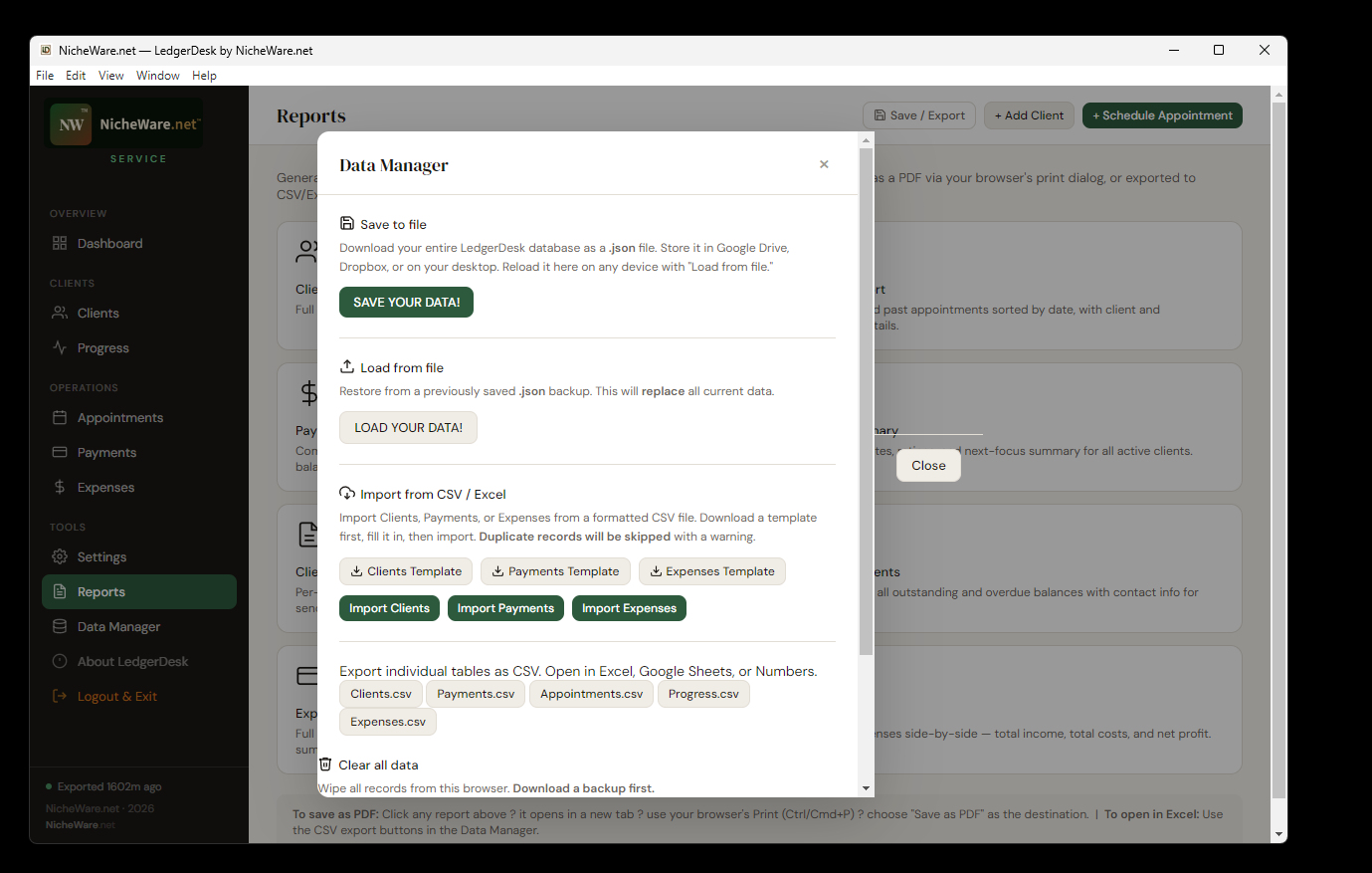
LedgerDesk stores everything locally — no cloud account required, no subscription lock-in. The Data Manager gives you full control: save a JSON backup anytime, restore it on any device, or import clients, payments, and expenses from CSV.
Export any table to CSV for use in Excel, Google Sheets, or Numbers. Download formatted templates to populate and import in bulk. Duplicate records are automatically detected and skipped.
Your business data lives where you put it — Google Drive, Dropbox, a USB stick, or your own desktop. No third party ever touches it.
Ready to run your business on your terms?
One-time purchase · No subscription · No cloud lock-in · Works offline · Windows & Web
Join the Beta Learn More